
Door Locks & Access Control
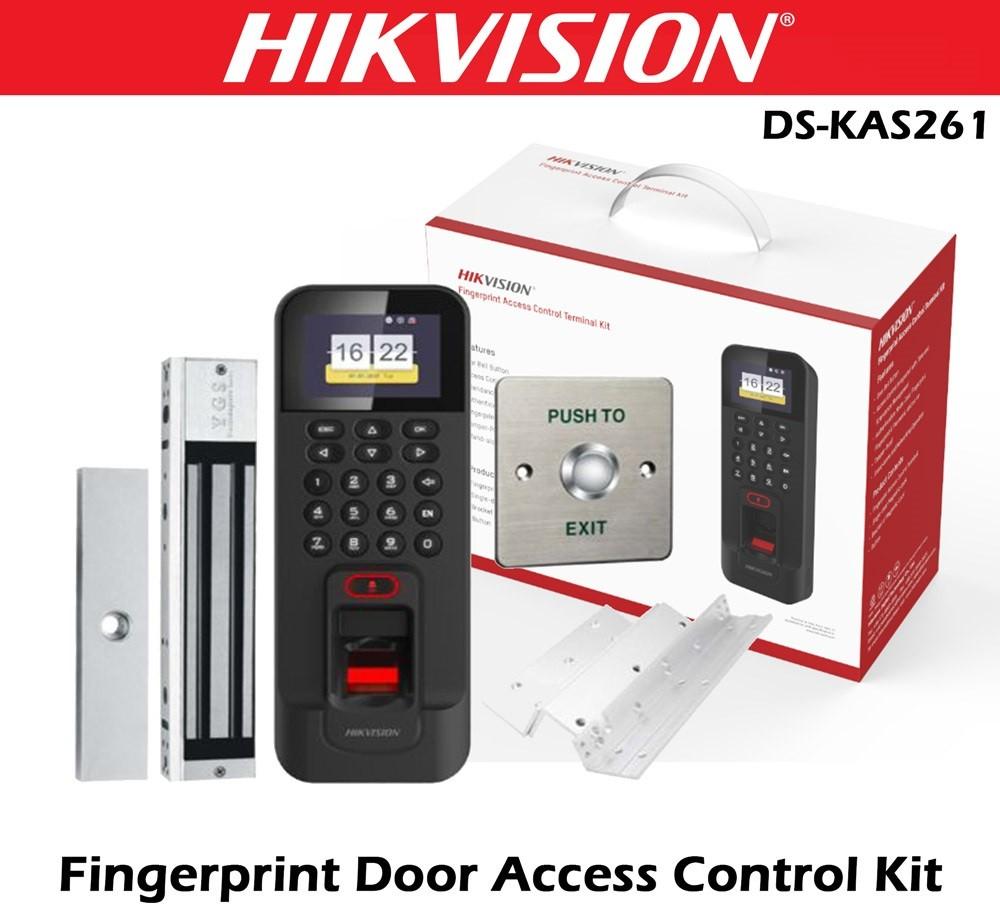
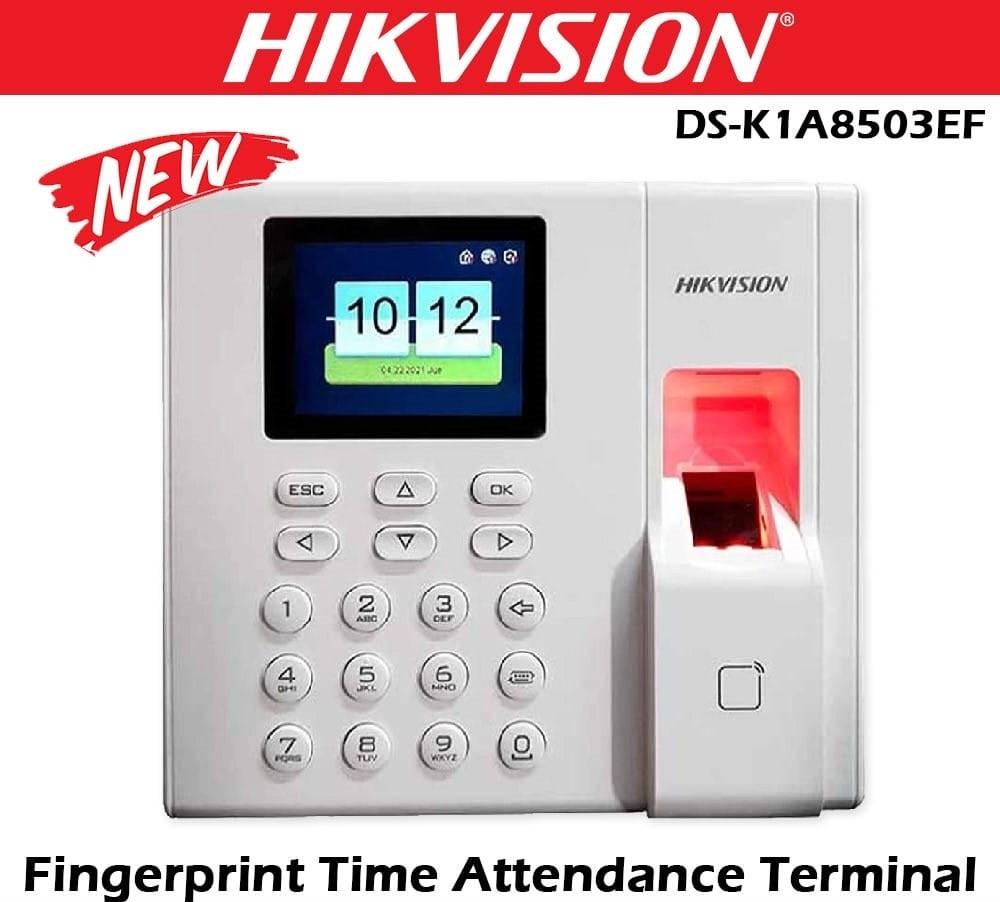
Hikvision Access Control System
Hikvision-DS-K1A8503EF-Value-Series-Fingerprint-Time-Attendance-Terminal-NepalSafelincs Technologies provides door access control systems in Nepal designed to manage, authenticate and control entry into offices, commercial buildings, institutions and restricted areas. An electronic access control system replaces or supplements conventional key-based entry with technologies such as fingerprint authentication, facial recognition, RFID cards, PIN credentials and electronically controlled door locks.
Our range includes biometric access control systems, fingerprint terminals, face recognition terminals, electromagnetic locks and complete door access control components from brands such as Hikvision and ZKTeco. These systems can be configured according to the number of doors, users, authentication requirements and security level of a facility.
Businesses looking for broader security infrastructure can also explore our CCTV surveillance cameras and systems and other security and networking solutions.
Door Access Control Systems for Secure Entry Management
A door access control system is an electronic security solution that determines who is permitted to enter a controlled door or restricted area. Instead of relying entirely on mechanical keys, the system verifies a user's identity through an electronic credential before allowing access.
Depending on the system configuration, authentication can be performed using:
Fingerprints
Facial recognition
RFID or proximity cards
PIN/password credentials
Multiple authentication methods
A typical electronic access control configuration consists of an access reader or biometric terminal, access controller, electronic locking mechanism, exit button, door sensor and power supply.
The basic operating sequence is:
User → Credential Reader → Authentication → Access Controller → Electronic Lock → Door Access
When a user presents a valid credential, the reader captures the authentication information and communicates it to the access-control system. The system verifies the credential against authorized records and checks applicable access permissions. If authorization is successful, the controller sends a signal to release the connected lock for a configured period.
This architecture allows organizations to control access at individual doors while maintaining a record of access events where supported by the selected hardware and management platform.
Types of Access Control Systems Available in Nepal
Different facilities require different authentication technologies. Selecting an appropriate access control security system depends on factors such as security requirements, number of users, number of controlled doors and how credentials need to be managed.
1. Biometric Access Control System
A biometric access control system authenticates users using measurable biological characteristics rather than relying only on a physical key or access card. Fingerprint and facial recognition are among the most commonly used biometric methods in electronic access-control applications.
The general authentication process follows: Biometric Capture → Feature Extraction → Template Comparison → Identity Verification → Access Decision
During enrollment, the system creates a biometric template associated with an authorized user. During an access attempt, the terminal captures new biometric information and compares it with the enrolled template. When authentication and applicable access permissions are successfully verified, the system can activate the connected electronic lock.
Biometric authentication is particularly useful where organizations need user-specific identification rather than transferable credentials such as conventional keys or cards.
2. Fingerprint Access Control System
A fingerprint access-control terminal uses a fingerprint sensor to authenticate an enrolled user before allowing access to a controlled door. The process typically involves:
Capturing the fingerprint.
Extracting distinguishing fingerprint characteristics.
Comparing them with an enrolled biometric template.
Checking the user's access authorization.
Sending an unlock signal when access is approved.
An access control fingerprint system can be suitable for offices, staff entrances, server rooms, stock rooms and other areas where organizations need to restrict entry to registered users.
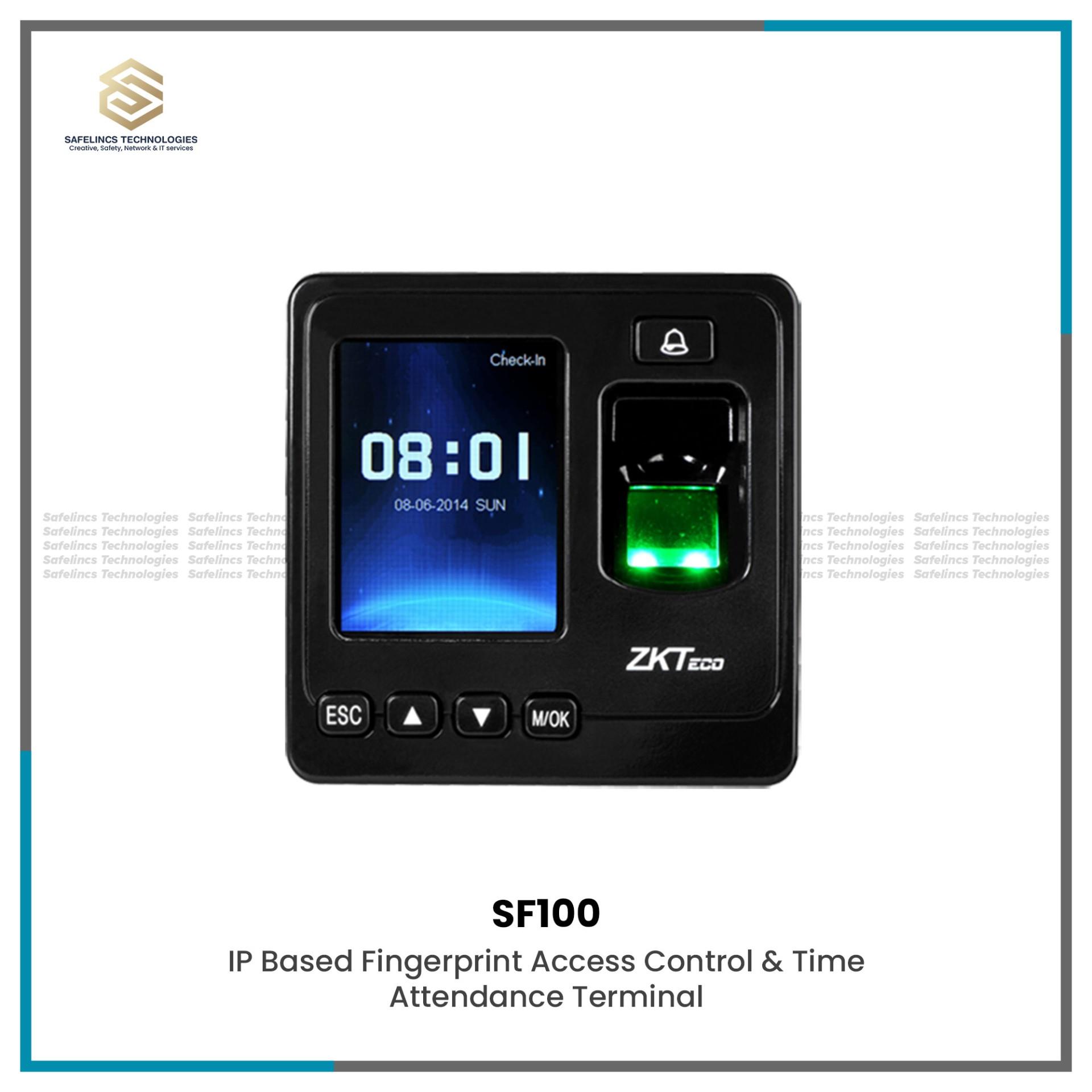
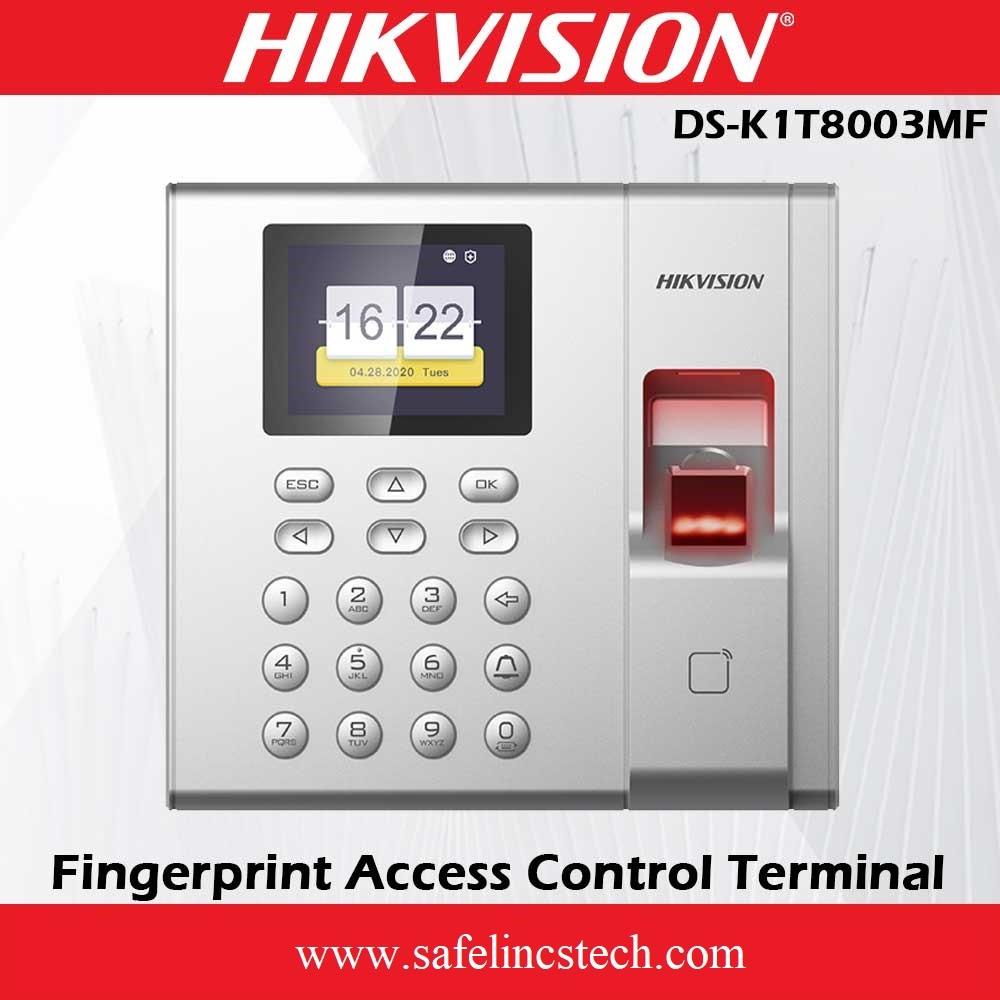
Safelincs carries fingerprint access-control products from Hikvision and ZKTeco, including standalone and integrated access-control terminals. You can browse the current products directly in the Door Locks & Access Control category above.
3. Face Recognition Access Control System
Facial recognition provides another form of biometric authentication. A compatible terminal captures facial information and compares the extracted features with enrolled user templates.
A typical process can be represented as: Face Detection → Facial Feature Processing → Template Matching → Authorization → Door Release
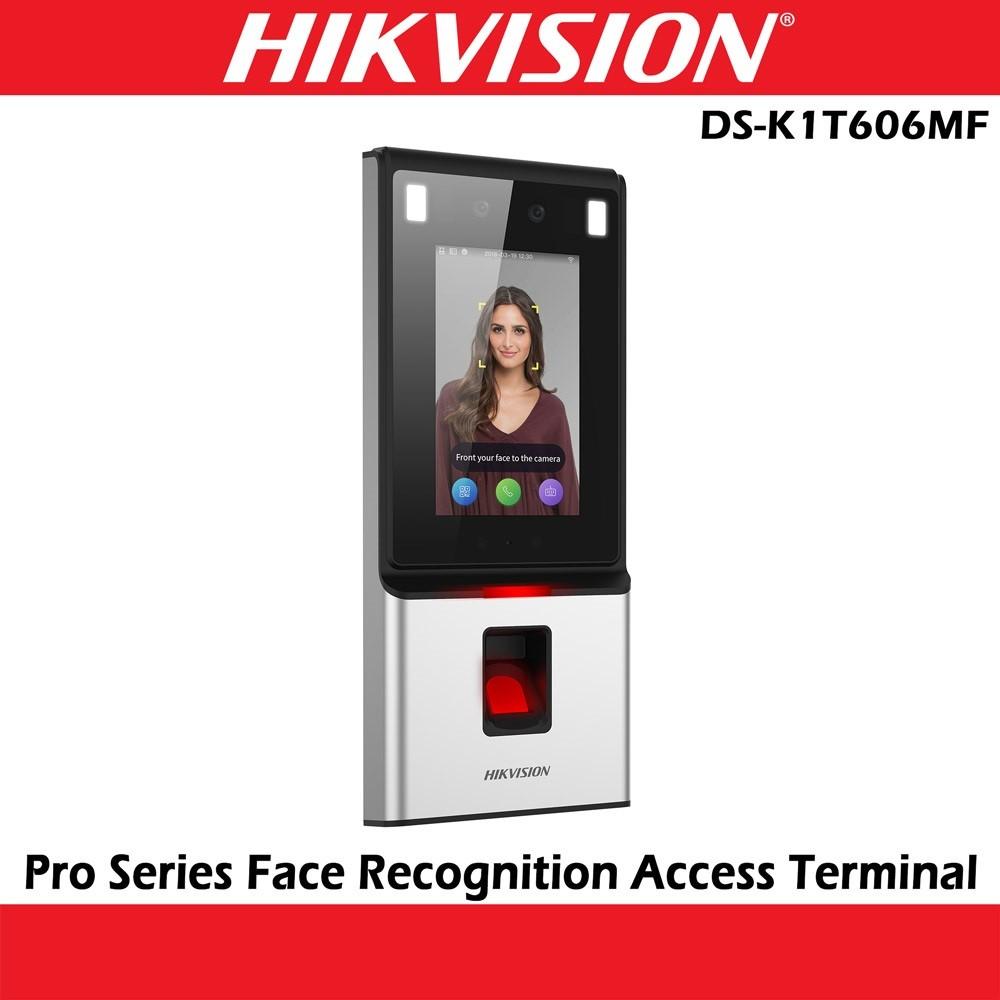
A face recognition access control system can provide contactless authentication and can be used for employee entrances, offices, institutions and restricted areas where compatible access-control infrastructure is installed.
Safelincs offers Hikvision access-control terminals with facial-recognition capabilities alongside other biometric access technologies.
4. RFID and Card Access Control Systems
An RFID access control system uses an electronic card, tag or other compatible credential to identify a user.
The basic process is: RFID Card → Reader → Credential Verification → Controller → Electronic Lock
When a registered card is presented within the operating range of the reader, the credential information is read and checked against authorized access records. If the credential is permitted for that door and access condition, the controller can trigger the locking device.
Card-based systems can be useful where organizations need to issue and revoke employee credentials without depending on conventional physical keys. Depending on the selected terminal, RFID can also be combined with PIN or biometric authentication for additional verification.
Access Control Door Locks and Locking Hardware
Authentication is only one part of a complete door lock access control system. Once authorization is confirmed, the system requires compatible locking hardware to physically control the door. Depending on the door construction and access-control design, locking hardware can include:
Electromagnetic locks
Electric strikes
Electronic locks
Compatible access-control locking mechanisms
The controller and lock must be selected according to the electrical, mechanical and safety requirements of the installation.
Electromagnetic Door Locks
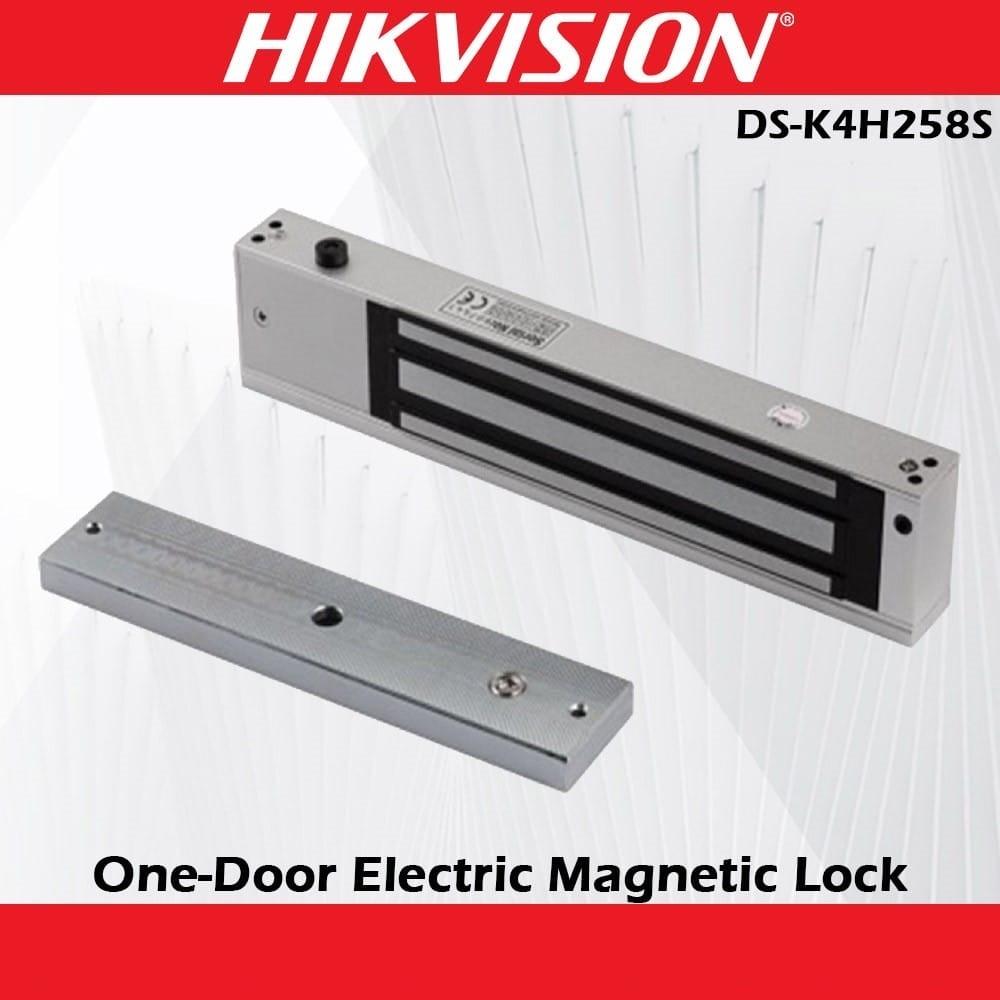
An electromagnetic lock, commonly referred to as an EM lock, uses electromagnetic force to secure a door. The system generally consists of an electromagnet mounted to the door frame and an armature plate installed on the door. When the electromagnet is energized, magnetic attraction between the two components produces the holding force required to keep the door secured.
The access controller controls when the locking circuit should release according to the configured system architecture. Important specifications when selecting an electromagnetic lock include:
Holding Force: The rated force the energized lock can provide.
Operating Voltage: The power requirement of the locking device.
Door Compatibility: Mounting arrangements vary between glass, wooden, metal and framed doors.
Fail-Safe/Fail-Secure Requirements: The required lock behaviour during loss of electrical power must be considered as part of the system and life-safety design.
Controller Compatibility: The access controller and associated relay/power arrangement must support the selected locking device.
Safelincs currently carries electromagnetic locking hardware alongside its access-control terminals, allowing customers to select components for an integrated door access solution.
How Does a Door Access Control System Work?
Understanding the complete process helps when selecting a suitable system for an office or commercial property.
1. Credential Presentation
The user approaches the controlled door and presents an authentication credential. Depending on the terminal, this may be a fingerprint, face, RFID card or PIN.
2. Credential Reading
The reader or access terminal captures the credential and converts it into information that can be processed by the system.
3. Authentication
The presented credential is compared with enrolled or registered user information.
4. Authorization
Successful identification does not necessarily mean every door should open. The system can check configured access permissions to determine whether that user is authorized for the particular entrance.
Depending on system capabilities, authorization rules may include door assignments, user groups or time schedules.
5. Lock Activation
When access is authorized, the controller or terminal activates the appropriate output or relay according to the system design, allowing the electronic locking device to release.
6. Access Event Recording
Compatible systems can record events such as successful access attempts, rejected credentials and other door-related activity for later review. This makes an electronic access control system more manageable than a conventional key-only system where organizations require identifiable and configurable access permissions.
Single Door Access Control Systems
A single door access control system is designed to manage entry through one controlled door.
A typical configuration may contain: Access Terminal + Controller + Electronic Lock + Exit Button + Door Sensor + Power Supply
Single-door configurations can be suitable for:
Individual office entrances
Server rooms
Stock rooms
Record rooms
Restricted departments
Staff entrances
Small commercial premises
For installations involving several controlled doors, a centralized or multi-door architecture may be more appropriate depending on the selected hardware and management requirements. The number of doors should therefore be determined before choosing access-control equipment.
Office Access Control Systems
An office access control system allows businesses to define which employees or authorized personnel can access specific areas of a workplace.
For example, an organization may configure access differently for:
Main Entrance: General authorized employee access.
Management Area: Limited to designated employees.
Server Room: Restricted to authorized IT personnel.
Stock or Storage Room: Limited to selected staff.
Finance Department: Access granted only to relevant personnel.
Electronic access control can therefore provide more granular entry management than issuing the same type of physical key to multiple employees.
For facilities that also require video monitoring of entrances and other critical areas, access control can form part of a broader security strategy alongside CCTV surveillance systems.
Hikvision and ZKTeco Access Control Systems
Safelincs offers access-control products from established security technology manufacturers including Hikvision and ZKTeco.
1. Hikvision Access Control Systems
The category includes Hikvision access-control equipment such as fingerprint terminals, facial-recognition terminals, access-control kits and compatible door-security components. Depending on the specific model, Hikvision terminals may support different combinations of:
Fingerprint authentication
Facial authentication
Card credentials
PIN/password
Access event management
Door-control functionality
Always check the specifications of the individual model before selecting a system because authentication methods, capacity, interfaces and compatibility differ between devices.
2. ZKTeco Access Control Systems
ZKTeco provides biometric and electronic access-control solutions designed for applications ranging from individual controlled doors to broader employee access environments. The Safelincs category includes products such as the ZKTeco SF100 biometric access control terminal, providing another option for projects requiring fingerprint-based authentication.
When comparing ZKTeco, Hikvision or other access-control equipment, selection should be based on the technical requirements of the installation rather than brand alone.
How to Choose the Right Access Control System?
Choosing the best access control system for a particular installation requires more than selecting a fingerprint or face-recognition terminal. The entire door environment should be considered.
1. Select the Authentication Method
Determine how users should identify themselves.
Common options include:
Fingerprint
Facial recognition
RFID/card
PIN
Multiple authentication methods
Biometric authentication may be useful when credentials should be associated with an individual, while RFID systems can be convenient where organizations need to issue and revoke physical credentials.
2. Determine the Number of Doors
Establish whether the project requires:
One controlled door
Several independent doors
Multi-door centralized access control
This influences controller selection, system architecture and management requirements.
3. Calculate User Capacity
Access-control terminals have limits on the number of users, cards, biometric templates and event records they can store or manage. The selected device should therefore provide adequate capacity for current requirements while considering reasonable future expansion.
4. Check Door and Lock Compatibility
The physical door must also be evaluated. Consider: Door material, Door frame, Opening direction, Lock type, Mounting arrangement, Required holding force and Emergency release requirements.
For example, an electromagnetic lock installation may require appropriate mounting brackets depending on the door construction.
5. Check Communication Interfaces
Depending on the model and system architecture, access-control devices may use interfaces or communication methods such as:
TCP/IP
RS-485
Wiegand
Wi-Fi
The actual supported interfaces should always be confirmed from the specification of the selected device. For projects requiring network infrastructure for connected security equipment, Safelincs also provides managed network and PoE switches and other networking products.
6. Consider Integration Requirements
Before purchasing equipment, determine whether access control needs to operate alongside other systems such as:
CCTV surveillance
Time attendance
Alarm systems
Visitor management
Centralized security management
Integration capability depends on the specific hardware, software and communication protocols being used.
7. Plan Power and Backup Requirements
Electronic access control relies on electrical power. Power planning should account for: Access terminal, Controller, Lock, Sensors, Exit devices and Required backup arrangements.
Power-supply voltage and capacity should match the technical requirements of all connected components.
Applications of Door Access Control Systems
Door access control systems can be used across commercial, institutional and industrial environments where organizations need to control entry, restrict sensitive areas and manage access for employees, visitors or other authorized users. The appropriate system configuration depends on the number of doors, users, required authentication method and security level of each area.
1. Offices and Corporate Buildings
An office access control system can manage employee access at main entrances while restricting specific departments or rooms to authorized personnel. Fingerprint, facial recognition, RFID card or PIN-based terminals can be installed at entry points according to the organization's requirements.
Different access permissions can also be assigned to different users. For example, general employees may be permitted through the main office entrance, while server rooms, finance departments, management areas and document storage rooms can be limited to selected personnel. This provides more controlled entry management than relying only on conventional keys.
2. Banks and Financial Institutions
Banks and financial institutions often contain areas that require different levels of physical access. Door access control systems can be used to restrict employee-only areas, administrative rooms, IT infrastructure rooms, record storage areas and other controlled sections.
Biometric or card-based authentication can help ensure that only registered personnel are permitted through designated entrances. Where supported by the selected system, access events can also be recorded, allowing administrators to review when registered users accessed controlled doors.
Access control can also be deployed alongside CCTV surveillance systems as part of a broader physical security infrastructure.
3. Schools and Colleges
Educational institutions can use access-control systems to separate publicly accessible areas from staff-only or restricted sections of the premises.
Systems can be installed at locations such as:
Administration offices
Staff rooms
Computer laboratories
Examination rooms
Equipment rooms
Libraries or controlled resource areas
Server and network rooms
For example, RFID cards may provide convenient credential-based access for authorized staff, while a biometric access control system can be considered for areas requiring individual user authentication.
4. Hospitals and Healthcare Facilities
Hospitals and healthcare facilities contain many areas where access may need to be limited according to staff responsibilities. Electronic access control can be installed at staff entrances, laboratories, medicine storage areas, administrative departments, equipment rooms and other controlled locations.
Different permissions can be assigned according to the facility's operational requirements. For example, general staff may have access to common employee areas while specific rooms remain accessible only to designated personnel.
Contactless technologies such as compatible card or facial-recognition systems may also be considered where touch-free authentication is preferred.
5. Hotels and Hospitality Businesses
Hotels can use electronic access control beyond guest-room locking. Access control security systems can help manage entry into employee areas, administration offices, storage rooms, kitchens, maintenance areas, IT rooms and other restricted parts of the property.
Employee credentials can be configured according to roles and required access areas. This makes it possible to provide authorized staff with access to the locations necessary for their responsibilities without providing unrestricted access throughout the property.
6. Warehouses and Storage Facilities
Warehouses frequently contain inventory, equipment and operational areas that should only be accessible to authorized personnel. A door lock access control system can be installed at warehouse entrances, stock rooms, equipment rooms and other restricted sections.
Fingerprint, RFID or other supported authentication methods can be used depending on the operating environment and security requirements.
For larger facilities, access permissions can be divided according to different zones so that employees are granted entry only to the areas relevant to their responsibilities.
7. Server Rooms and Data Infrastructure Areas
Server rooms contain networking equipment, servers, storage systems and other critical IT infrastructure. Physical access should therefore be restricted to authorized personnel.
A biometric access control system or card-based door access system can be used to control entry to these areas. Instead of distributing mechanical keys, organizations can register authorized IT personnel within the access-control system and manage their permissions electronically.
Where supported, access-event records can also help administrators identify which registered credential was used to access a controlled entrance.
Organizations building their IT infrastructure can combine access-control solutions with appropriate managed network and PoE switches and other networking equipment.
8. Retail Stores and Commercial Outlets
Retail businesses can use door access control to separate customer-facing areas from employee-only sections. Access can be restricted at stock rooms, cash-handling areas, management offices, equipment rooms and back-office entrances.
RFID cards, fingerprints or PIN credentials can provide controlled employee access without requiring multiple conventional keys. Access permissions can also be changed when employee responsibilities change, depending on the capabilities of the selected system.
9. Factories and Industrial Facilities
Industrial facilities may require controlled access to production areas, control rooms, warehouses, equipment rooms and other operational zones. An access-control system can divide the facility into different access areas and provide permissions according to employee roles. For example, general staff may be authorized for production entrances while electrical rooms, control rooms or specialized equipment areas remain restricted to designated personnel.
When selecting equipment for industrial environments, installation conditions, door type, power requirements, network connectivity and the operating environment should all be considered.
10. Apartments and Residential Buildings
Electronic access control can also be deployed at common entrances of apartment buildings and other multi-user residential properties. Depending on the building's requirements, residents and authorized personnel can use RFID cards, PIN credentials, biometric authentication or other compatible methods to enter controlled areas.
Access control may be considered for:
Main building entrances
Parking access areas
Management offices
Utility rooms
Shared facilities
Other restricted common areas
The system should be selected according to the number of residents, entrances and required credential-management capabilities.
For organizations developing network and security infrastructure together, Safelincs also supplies network racks and server rack cabinets alongside security products.
Why Choose Safelincs for Access Control Systems in Nepal?
Safelincs Technologies provides access-control and security products for businesses, organizations and commercial projects in Nepal.
Customers can explore solutions including:
Fingerprint access control
RFID/card authentication
Electromagnetic locks
Rather than choosing equipment based only on the authentication technology, evaluate the complete requirement including door type, number of users, number of entrances, locking hardware, communication interfaces, power requirements and required integrations.
Explore the available products above or visit Safelincs Technologies for additional CCTV, fire safety and networking solutions.
Frequently Asked Questions
1. What is a door access control system?
A door access control system is an electronic security system used to determine whether a person is authorized to enter a controlled door or area. It can authenticate users through fingerprint, face recognition, RFID cards, PINs or other supported credentials and control compatible electronic locking hardware.
2. How does an access control system work?
The user presents a credential to a reader or terminal. The system authenticates the credential and checks applicable access permissions. When access is approved, the controller or terminal activates the connected locking mechanism according to the system configuration.
3. What is a biometric access control system?
A biometric access control system uses biological characteristics, such as fingerprints or facial features, to authenticate registered users before granting access.
4. What is a single door access control system?
A single-door access control system manages access to one door. A typical installation can include an access reader or terminal, controller, electronic lock, exit button, door sensor and power supply.
5. Which is better: fingerprint, face recognition or RFID access control?
The appropriate method depends on the application. Fingerprint and facial recognition associate authentication with biometric characteristics, while RFID systems use issued physical credentials. Some systems combine multiple authentication methods.
6. Can an access control system work with an electromagnetic lock?
Yes, access-control systems can be designed to operate with electromagnetic locks when the controller, power supply, locking arrangement and other components are compatible.
7. Can access control systems be used in offices?
Yes. Office access-control systems can manage entrances and restrict access to areas such as server rooms, management sections, stock rooms and other controlled spaces.
8. What is the difference between biometric and RFID access control?
Biometric access control authenticates a user's biological characteristics, while RFID access control authenticates a registered card, tag or compatible physical credential.
9. Which access control system is suitable for a commercial building?
The appropriate configuration depends on the number of doors, number of users, authentication method, locking hardware, network requirements and required integrations. Larger buildings may require centralized or multi-door management rather than independent single-door systems.
10. What is the price of an access control system in Nepal?
The access control system price in Nepal varies according to the terminal, authentication technology, user capacity, number of controlled doors, electronic locks, controllers, accessories and overall installation configuration. Individual product pricing should be checked on the relevant Safelincs product listing or confirmed according to project requirements.